File Menu
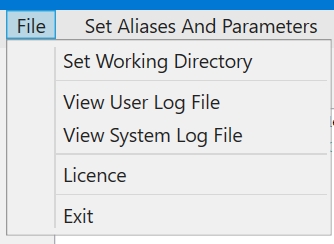
Use the File menu to set the Working Directory, view log files, or access the Licence Manager.
The Working Directory is the starting point for any "Open File" or "Save File" dialogue. So all the project's files and grid sub-directories should be placed in the Working Directory. The Working Directory must be set before any of the items in the Utilities menu are enabled. Also, both the Working Directory and the Aliases and Parameters must be set before the items in the Decorrugation and Microlevelling menus are enabled.
MicroLevel automatically opens log files to log debug information, warnings and error messages, and to track processing progress and save output for the user. There are two types of log files:
- The System Log File stores debug information, warnings and error messages.
- The User Log File stores the output from executed processes and tools.
The License menu item is used to request, install or view the license.
Quick Link: See Using Log Files for a full explanation of how log files are used in MicroLevel.