Utilities Menu
Editor Utilities Menu
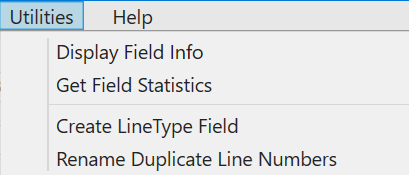
Use the Utilities menu to: display information about fields in the database; get field statistics; create line-type fields and rename duplicate line numbers.
Display Field Info – displays a summary of the database fields showing field type, data type, precision and so on.
Get Field Statistics – calculates and displays summary statistics for database fields.
Create LineType Field – creates a Line Type field for each line in the database. This is a group-by integer field with the value 2 for lines and 4 for ties (tie-lines). The algorithm depends on the lines and ties being reasonably straight, and having significantly different headings. Based on headings, the lines in the database are divided into 2 groups. The larger group are designated as lines (LineType = 2), and the smaller group is designated as tie-lines (LineType = 4).
Rename Duplicate Lines – searches for duplicate line numbers in the database. If found, the line numbers are incremented by 1 to the next globally unused line number.
Note:
Intrepid Editor requires that each line in a database has a unique Line Number. When you specify a field as a Line Number field, the editor will automatically scan the field for duplicate line numbers. If found, you will be prompted to use the Rename Duplicate Line Numbers tool to rename the duplicate line numbers to unique numbers before it can be used as a Line Number field.