Height Attenuation Coefficients and Sensitivities
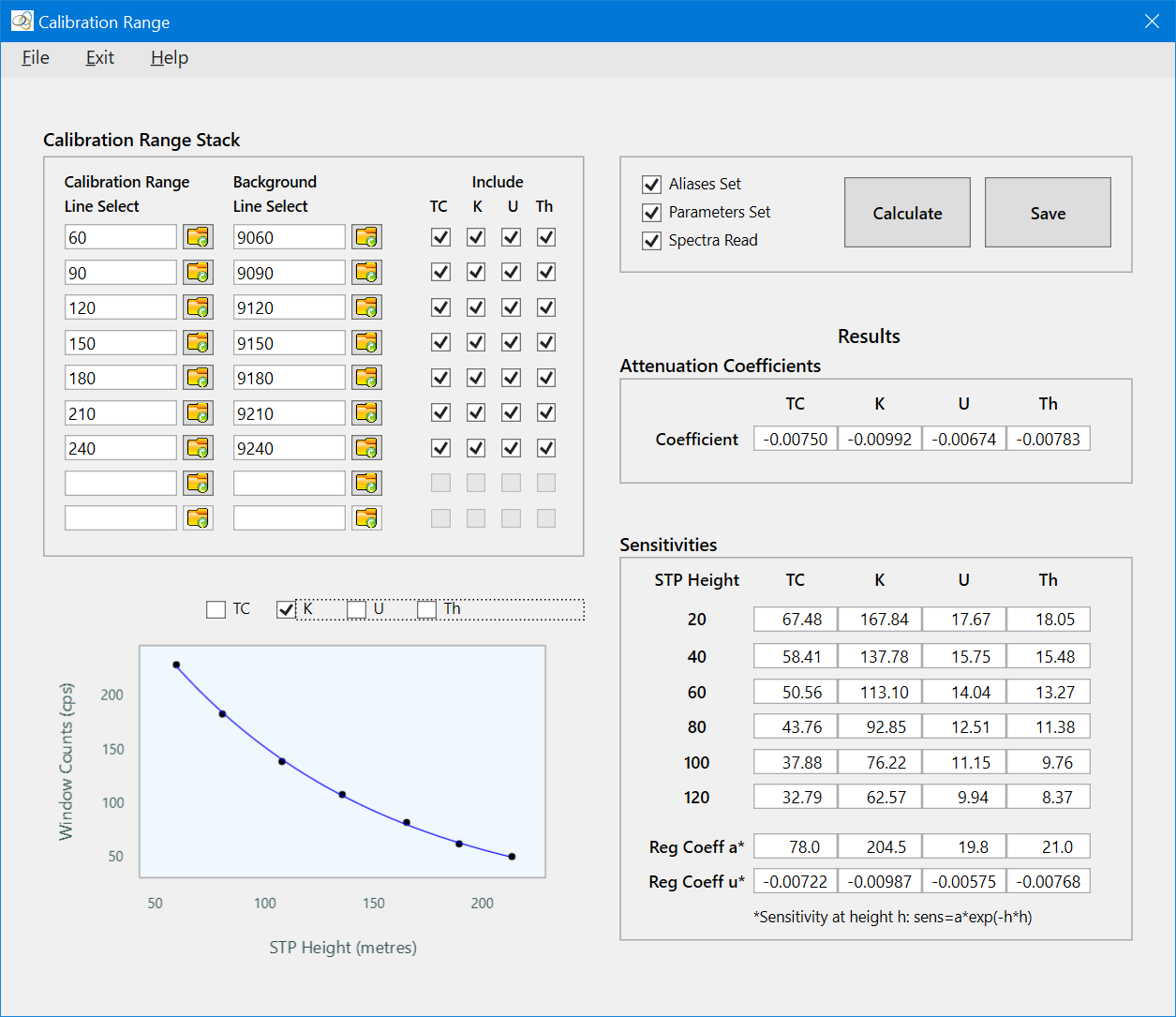
The Height Attenuation Coefficients and Sensitivities (Calibration Range) tool processes data acquired over a calibration range. The calibration range is flown at various heights – typically between 40 m and 200 m. Each line over the calibration range has an associated background line that was flown at the same height over water nearby. The background-corrected window counts are fit to the acquisition heights using an exponential regression to estimate height attenuation coefficients. Sensitivities are derived by comparing the fully-corrected window counts to the known average concentrations of the calibration range. To use this tool:
- Set the aliases and parameters – File|Set Aliases and Parameters;
- Use the Select buttons to select the calibration and over-water lines from the database;
- Click Calculate to run the tool once all the inputs are set as indicated by the checkBoxes in the top-right control panel.
- View the log file – File|View User Log File to see the results.
Quick Link: Descriptions of the aliases and parameters used by this tool can be found in the calibration range control file.
See Tutorial 4: Height Attenuation Coeffs and Sensitivities Calibration for a tutorial on the use of this tool.