Set Parameters
Quick Link: Descriptions of the parameters used by GammaSpec can be found in the sample airborne processing parameter control file.
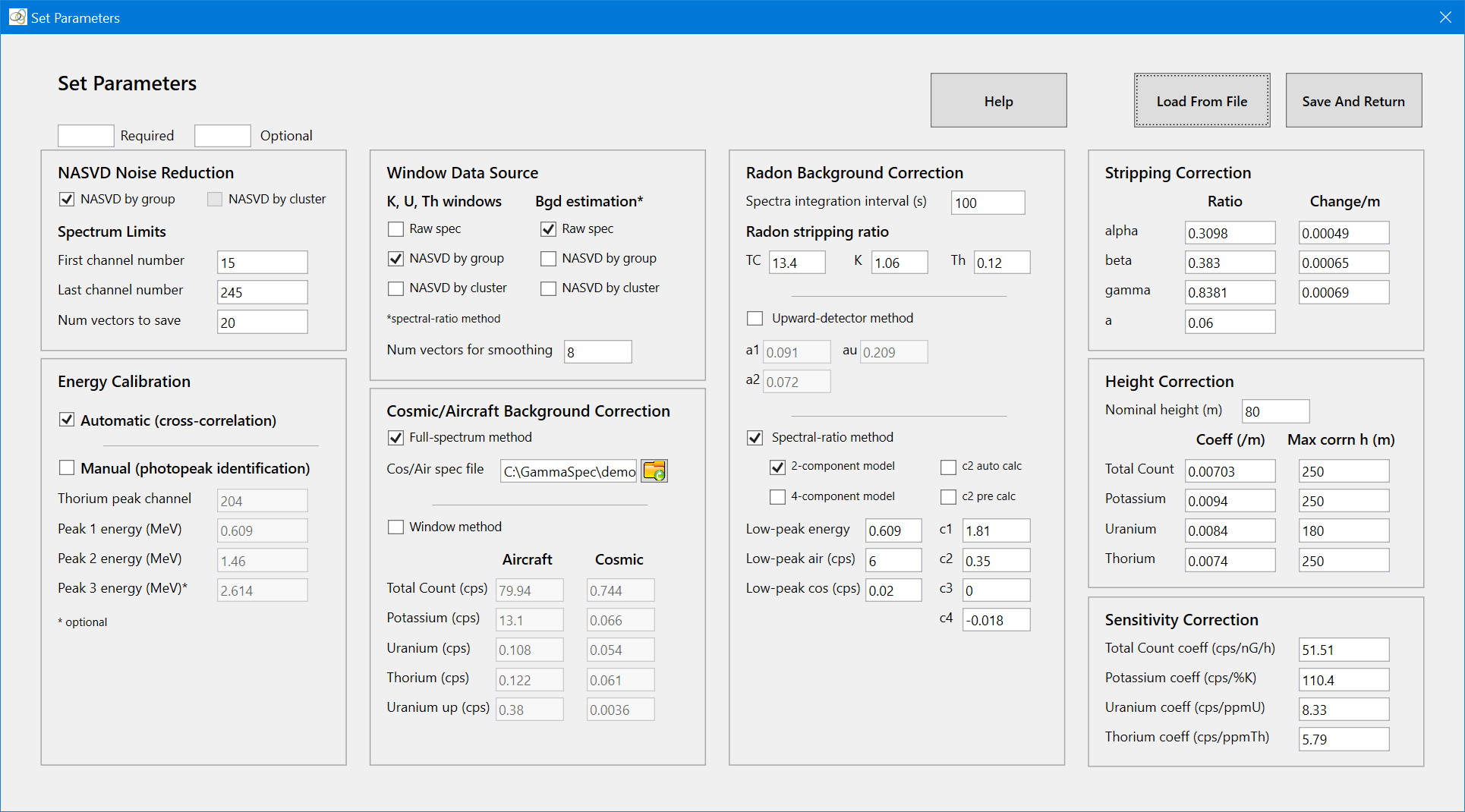
The Set Parameters window is used to set the GammaSpec parameters for airborne processing. There are two ways to set the parameters:
- Type the parameter values into the corresponding text boxes (tedious).
- Load the parameter values from a program control file using the Load From File button (easy). The parameter file is created beforehand using a text editor – a sample parameters control file for airborne processing can be found here. Demonstration alias and parameter files can be found in each of the demonstration datasets directories.
Tool Tip: Where a file or directory needs to be specified, the name or path can be set by typing into a text box, set using the Select File dialogue, or read from a control file. If you enter a name (as opposed to a path) in a text box, or read a name from a control file, the directory/file is assumed to reside in the Working Directory.
IMPORTANT NOTE: Irrespective of your computers settings for Language and Region, GammaSpec requires that a period (.) be used to separate the integer and fractional parts of real numbers. The use of a comma (,) is not allowed.
Only the parameters required for the intended processing need to be set. Once set, the parameters will remain current until a new database is opened. The set parameters can be saved to a control file, using Settings|Save Parameters, for subsequent use with the same database.
The parameters in the Set Parameters window are grouped according to their associated function/correction as follows:
- Nasvd Noise Reduction: the parameters required for doing NASVD noise reduction on the raw spectra (NASVD menu item).
- Energy Calibration: the parameters required for doing energy calibration on the raw spectra (Energy Calibration menu function). Energy calibration must be performed before the raw or NASVD'd spectra can be windowed (Window menu function).
The remaining parameters are all used for applying the gamma-ray corrections (Corrections menu function):
- Window Data Source: specifies whether the corrections are applied to the window data derived from the raw or NASVD spectra, and whether the background corrections will be estimated using the raw or NASVD'd spectra.
- Cosmic/Aircraft Background Correction: sets the parameters for using either a full-spectrum or window-based method for the estimation of aircraft and cosmic background corrections.
- Radon Background Correction: sets the parameters for estimating radon corrections using either the spectral-ratio or upward-looking detector methods.
- Stripping Correction: sets the stripping-ratio parameters.
- Height Correction: sets the height correction parameters.
- Sensitivity Correction: sets the sensitivity coefficients used to convert the processed elemental count rates to concentrations.